
The situation in 2026
UK businesses are currently owed around £26bn in unpaid invoices. The average affected SME is sitting on £17,000 in overdue payments at any given time. The Commercial Payments Bill, introduced to Parliament on 19 May 2026, would cap payment terms at 60 days. It has not yet become law, and when it does, enforcement will still depend on businesses knowing what they are owed and when. Most do not have that visibility.
The late payment problem in the UK is not new. What is new in 2026 is the scale. Government estimates suggest late payments are pushing 38 UK businesses into closure every single day - around 14,000 firms a year. Affected businesses spend an average of 86 hours annually just chasing overdue invoices. That is more than two full working weeks, every year, on work that should not exist.
The businesses that manage late payments best are not necessarily the ones who chase hardest. They are the ones who can see, at any moment, exactly what they are owed, from whom, for how long, and what the impact is on their cash position. That visibility is a data problem - and it is one that most SMEs are still trying to solve with a spreadsheet they update manually once a week, if they remember.

The late payment problem by numbers
Why most businesses do not have the visibility they need
Ask most business owners what they are currently owed and when it is due, and you will get one of three answers. They pull up a spreadsheet that was last updated three days ago. They log into their accounting software and run an aged debtor report - which takes a few minutes and gives them a static snapshot that is already out of date. Or they are not entirely sure and have to ask someone.
None of these is the same as having real-time cash flow visibility. And without real-time visibility, the chasing process is reactive rather than systematic. Invoices get missed. Customers who are consistently slow to pay are not identified as a pattern until the damage is done. The business discovers it has a cash flow problem at the same time as it runs out of cash - rather than three weeks earlier when there was still time to act.
The root cause is almost always the same. The data exists - in Xero, Sage, QuickBooks, or wherever the invoicing is managed - but it is not accessible in a form that supports active cash flow management. It requires someone to export it, format it, and interpret it. And that process happens weekly at best, when it should be happening continuously.
What good cash flow visibility actually looks like
When a business has its invoice and payment data properly connected to a live reporting tool, the picture changes completely. Here is what that looks like in practice:
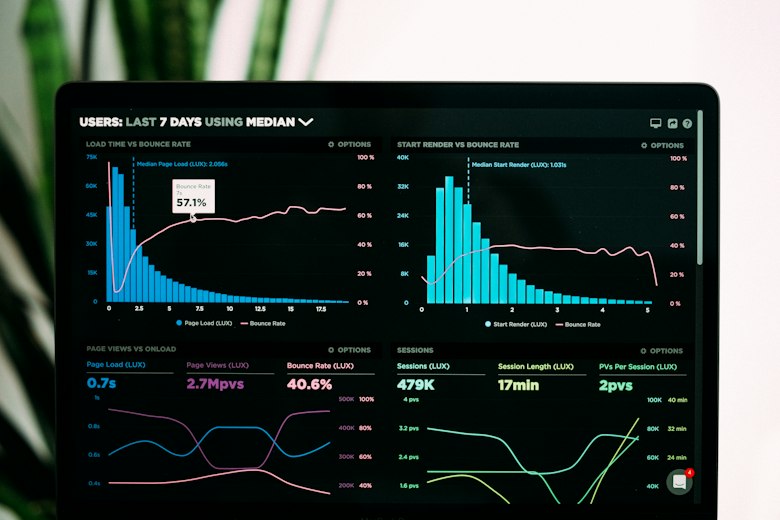
Live aged debtor dashboard
A dashboard connected directly to your accounting software - Xero, Sage, QuickBooks - that shows every outstanding invoice, who owes it, how many days overdue it is, and the total exposure by client and by ageing band. Updated automatically every time you open it. No export, no reformatting, no waiting for someone to run the report.
Automatic overdue alerts
Rather than someone remembering to check who has not paid this week, the system flags overdue invoices automatically - by email, by a highlighted row in a dashboard, or by a notification in whatever communication tool the team uses. The chasing becomes proactive rather than reactive, and nothing slips through because someone forgot to look.
Cash flow forecast connected to real invoice data
A rolling cash flow forecast that pulls from actual invoice data rather than assumptions. When a customer pays, the forecast updates. When a new invoice goes out, the expected receipt appears in the right week. The business owner can see, right now, what their cash position will look like in four weeks - and act on that information while there is still time.
Payment pattern analysis by client
Over time, the data reveals which clients consistently pay late, by how many days, and what the financial impact is. A client who is always 45 days late might look like a good customer on turnover figures - but when you can see the cash flow impact of their payment behaviour, the picture changes. That analysis is almost impossible to do manually but straightforward with properly structured data.
How to build it - the practical options
Most accounting software has some form of aged debtor report built in. The problem is it is static, requires someone to run it, and cannot be combined easily with data from other sources. Here are the practical options for getting to proper live visibility:
Power BI connected to your accounting software
A Power BI dashboard connected directly to Xero, Sage, or QuickBooks pulls your invoice and payment data automatically. You get a live aged debtor view, overdue alerts, and cash flow visibility - updated in real time without anyone exporting or formatting anything.
Best for: businesses that want a live dashboard accessible to multiple people
Power BI dashboards →Excel automation with Power Query
For businesses that prefer to stay in Excel, Power Query can connect directly to your accounting software and pull the aged debtor data automatically on refresh. The report updates with a single click - no manual export, no reformatting.
Best for: businesses already working in Excel that want automated data rather than a new platform
Connecting Xero to Excel →Automated email alerts via Power Automate
Power Automate can trigger automatic email reminders to customers when invoices become overdue - based on rules you set once. Day 1 overdue: a polite reminder. Day 14: a firmer follow-up. Day 30: escalation. All sent automatically without anyone having to remember.
Best for: businesses that want to automate the chasing process itself, not just the reporting
Power Automate workflows →The Commercial Payments Bill and what it means for your data
The Commercial Payments Bill was introduced in the House of Lords on 19 May 2026. It would set a maximum payment term of 60 days with limited exemptions, make interest on late payments mandatory at 8% above the Bank of England base rate, and let the Small Business Commissioner investigate larger businesses that persistently pay late (GOV.UK, Commercial Payments Bill overview). It is not law yet. By September 2026 it had passed report stage in the Lords, with third reading set for 20 October, and it still has to go through the Commons (UK Parliament, bill stages).
Some of this is already the law. A business to business payment term must usually be within 60 days, and where no date was agreed a payment is late 30 days after the customer gets the invoice or the work is done, whichever is later (GOV.UK, late commercial payments). You can already charge statutory interest at 8% plus the Bank of England base rate on a late business payment (GOV.UK, charging interest). None of it helps a business that is not tracking its payment terms and overdue dates accurately.
If you want to apply statutory interest to a late invoice, you need to know exactly when the invoice was due and how many days overdue it is. If the Bill passes and you want to report a persistent late payer to the Small Business Commissioner, you will need documentary evidence of the payment history. Both of these require structured, accurate invoice data - not a memory, not a rough spreadsheet, not a report you ran last week.
The businesses that will benefit most if the Bill becomes law are the ones with clean, automated invoice tracking. The ones who will continue to lose money to late payments are the ones who are still managing it manually.
Also relevant: If your invoice data is inconsistent - customers named differently across invoices, payment terms recorded in different formats, figures that do not reconcile - the reporting will not be reliable however good the dashboard is. Read our guide to data cleansing for UK businesses before building a cash flow reporting system on top of messy data.
Frequently asked questions
Can I track outstanding invoices automatically without changing my accounting software?
Yes. Whether you are on Xero, Sage, or QuickBooks, the invoice data can be pulled automatically into a Power BI dashboard or an Excel report using Power Query. You keep the accounting software you and your accountant are familiar with - the dashboard sits on top of it, pulling the data automatically without any manual exports.
How much does it cost to build an automated invoice tracking dashboard?
Most invoice tracking and cash flow visibility projects are delivered at a fixed price, scoped before any work begins. A single aged debtor dashboard connected to one accounting system is typically a 3-5 day project. A fuller cash flow reporting system combining invoice data, payment forecasting, and automated alerts takes longer. We scope every project and give a clear price before any work starts.
Can Power Automate send automatic payment reminders to customers?
Yes. Power Automate can be configured to send automatic email reminders to customers based on invoice due dates - a polite reminder on day 1 overdue, a firmer follow-up at day 14, an escalation at day 30. The rules are set once and run automatically without anyone having to remember to chase.
What does the Commercial Payments Bill mean for my business?
Nothing yet, because it is not law. The Bill was introduced to Parliament on 19 May 2026 and would cap payment terms at 60 days and make interest on late payments mandatory at 8% above base rate. You can already claim statutory interest on a late business payment today. Either way you need accurate records of when invoices were due and how many days overdue they are. Automated invoice tracking makes that straightforward, and manual tracking makes it difficult to enforce in practice.
How long does it take to set up automated cash flow reporting?
A basic aged debtor dashboard connected to your accounting software is typically delivered in 3-5 working days. A more full setup including cash flow forecasting, payment pattern analysis, and automated overdue alerts takes 5-10 days. You get a fixed price and clear timeline before any work begins.
Further reading
Related articles
How to Connect Xero to Excel and Automate Your Reports
FinanceMy Finance Team Is Spending Hours on Manual Reporting - How Do I Fix It?
Data QualityWhat Is Data Cleansing - and Why Does Bad Data Cost UK Businesses So Much?
Data AutomationHow to Reduce Manual Data Entry in Your Business
Do you know exactly what your business is owed right now?
This is the sort of problem our custom business tools work exists for. Book a free 30-minute call. We will look at your current invoice tracking setup and show you what live cash flow visibility would look like for your business - and what it would cost to build it.
Book a free scoping call →